
The Complete Checklist Before Launching Your E-commerce Website
Payment gateways, product pages, mobile checkout, and SEO basics — everything you need to verify before your online store goes live.
In This Article
Launching an online store is more than publishing product pages. Customers need to discover products, understand them, add them to a cart, complete payment and receive confirmation without confusion. A pre-launch review helps identify technical, content, usability and operational problems before real customers encounter them.
Key Points
What you need to know
Domain and SSL
Verify production domain, HTTPS, redirects and hosting.
Product pages
Check descriptions, prices, variants, images and stock information.
Mobile checkout
Test the entire purchase journey on phones and tablets.
Payments
Verify successful, failed and appropriate refund scenarios.
Shipping
Check delivery areas, rates and estimated delivery information.
Policies
Review privacy, shipping, returns, refunds and terms information.
SEO
Review titles, URLs, headings, indexability and structured data.
Analytics
Test purchase and conversion events.
Emails
Verify order, payment and account notifications.
Final user test
Have a fresh tester complete the customer journey.
1. Domain, hosting and SSL
Confirm the correct domain is connected to the production website and that HTTPS works across the entire store. Check redirects, canonical URLs and basic security settings. Make sure the hosting environment can handle expected traffic and that backups exist.
2. Product information
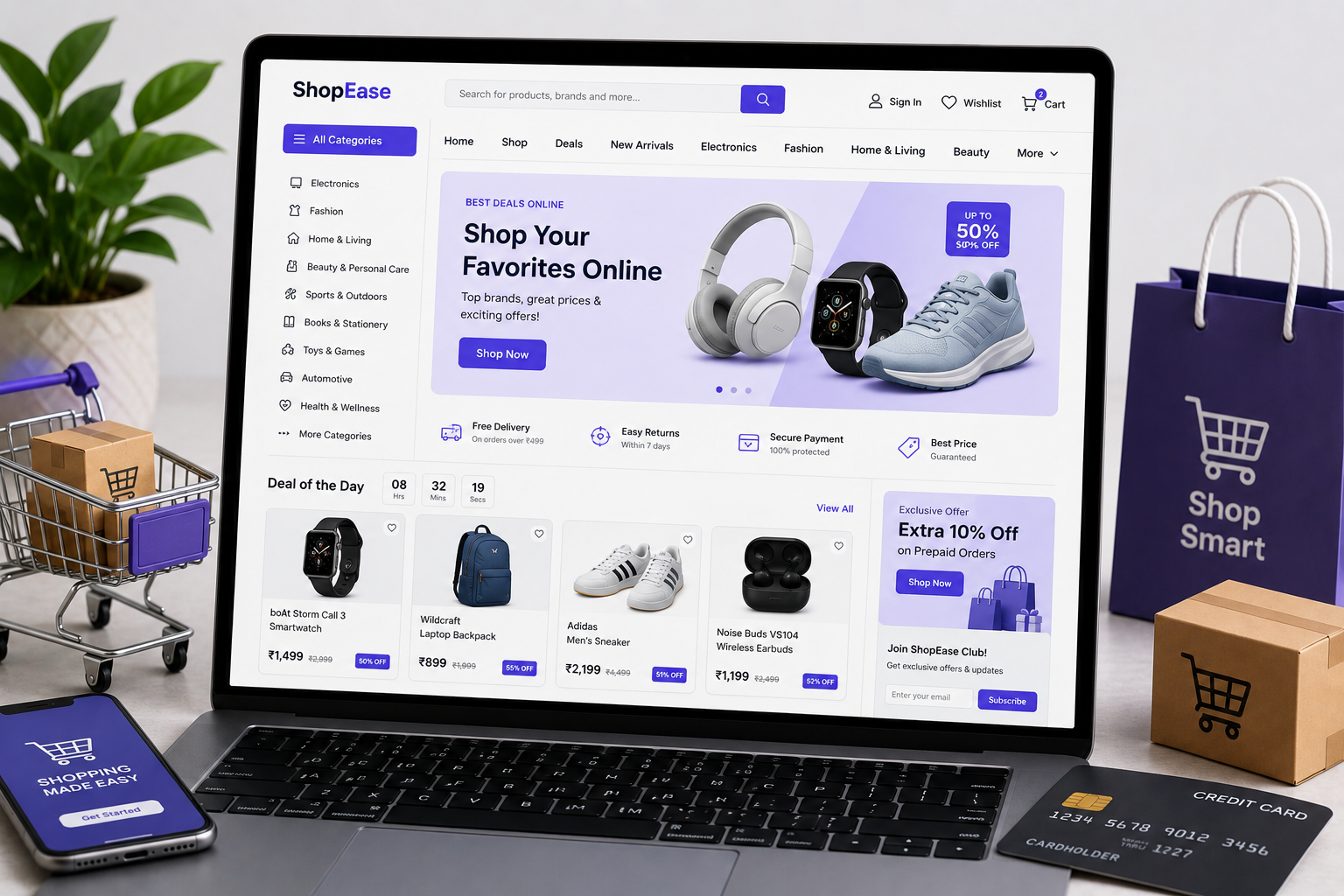
Review every important product page. Check names, descriptions, prices, variants, sizes, specifications, stock status and images. Product information should answer the questions a customer needs before buying.
3. Product photography and media
Images should be clear, appropriately sized and optimised for the web. Provide useful alternative text where appropriate. Avoid uploading unnecessarily huge files because they can slow down mobile shopping.
4. Cart and checkout
Test the full journey from product selection to order confirmation. Try different quantities, variants, discount codes, shipping options and payment methods. Verify that error messages are understandable and that customers do not lose their cart unexpectedly.
5. Payment gateway
Run appropriate test transactions and verify successful and failed payment flows. Check order status, confirmation messages and notifications. Make sure the business understands settlement, refunds and payment-related policies.
6. Shipping and delivery
Configure delivery locations, rates, estimated delivery times and any free-shipping thresholds correctly. Confirm that shipping information shown to customers matches the operational process.
7. Returns, refunds and policies
Make privacy, returns, refunds, shipping and terms information easy to find. The exact policy requirements depend on the business, products and applicable rules, so review them appropriately before launch.
8. Mobile shopping experience
Test the store on multiple screen sizes. Menus, product galleries, filters, forms, quantity controls and checkout fields should be easy to use with touch input.
9. SEO foundations
Review page titles, descriptions, headings, URLs, internal links, image alt text, indexability and structured data where appropriate. Make sure important products and categories can be discovered by search engines.
10. Analytics and conversion tracking
Confirm that key events such as product views, add-to-cart actions, checkout starts, purchases and relevant form submissions are tracked correctly. Test the events instead of assuming the analytics setup works.
11. Emails and notifications
Test order confirmation, payment status, shipping notifications, password resets and other customer emails. Check the sender identity, content and links.
12. Final pre-launch testing
Ask someone who was not involved in development to complete a purchase journey. Fresh eyes often reveal unclear labels, confusing navigation or missing information that the project team has become accustomed to.
Final thoughts
A successful e-commerce launch is built around the complete customer journey. Test the store like a customer, not like a developer. Fix anything that creates uncertainty around products, payment, delivery, returns or support. A careful launch checklist protects the first customer experience and gives the business a stronger foundation for growth.
Test the store from a customer's perspective
Development teams naturally test individual components, but shoppers experience the store as one continuous journey. Start on the homepage or a search result and attempt to find a product, understand its details, add it to the cart and complete checkout. Repeat the process on a phone. Try invalid discount codes, unavailable products, different quantities and a failed payment where the environment supports safe testing. Check whether error messages explain what to do next. Review confirmation pages and emails because they are part of the purchase experience too. A store should also make support information easy to find so customers know what happens after an order is placed.
Prepare for the first weeks after launch
Launch day is not the end of testing. Monitor search indexing, page errors, checkout completion, payment failures, shipping questions and customer support requests during the first weeks. Watch for products with confusing descriptions or high abandonment. Review analytics to understand where shoppers leave the funnel. Keep backups and a rollback plan for significant releases. Make a list of small improvements and prioritise changes that remove real customer friction. This approach turns the e-commerce website into a system that can improve based on evidence rather than a project that is considered finished the moment it goes live.
Make support part of the launch plan
Customers judge an online store by what happens when something goes wrong as much as by what happens during a successful purchase. Make support contact details visible and decide how questions about payments, delivery, returns and order status will be handled. Check that automated emails contain working links and clear instructions. Make sure staff know how to locate an order and update customers when necessary. If the business has a returns process, test it internally before launch so the customer-facing policy matches the real operational process. A reliable support experience reduces uncertainty and gives shoppers more confidence to complete purchases.
Review speed, search and accessibility before launch
Performance and accessibility should be included in the final review rather than treated as optional extras. Compress large images, check that important content appears quickly and make sure navigation and forms can be used comfortably. Review headings, link text and alternative text where appropriate. Search engines and customers both benefit when product and category pages are clearly structured. A final technical review can also catch accidental noindex settings, broken canonical URLs, missing redirects or staging references that should never appear on the production store.
Yorra Tech
Ready to turn your digital presence into a growth tool?
Tell us about your business, your goals, and what you want your website or digital system to achieve.
Start a Project