
Core Web Vitals Explained: Why Google Cares About Your Site Speed
A plain-English breakdown of the performance metrics that affect both user experience and search rankings — and how to actually improve them.
In This Article
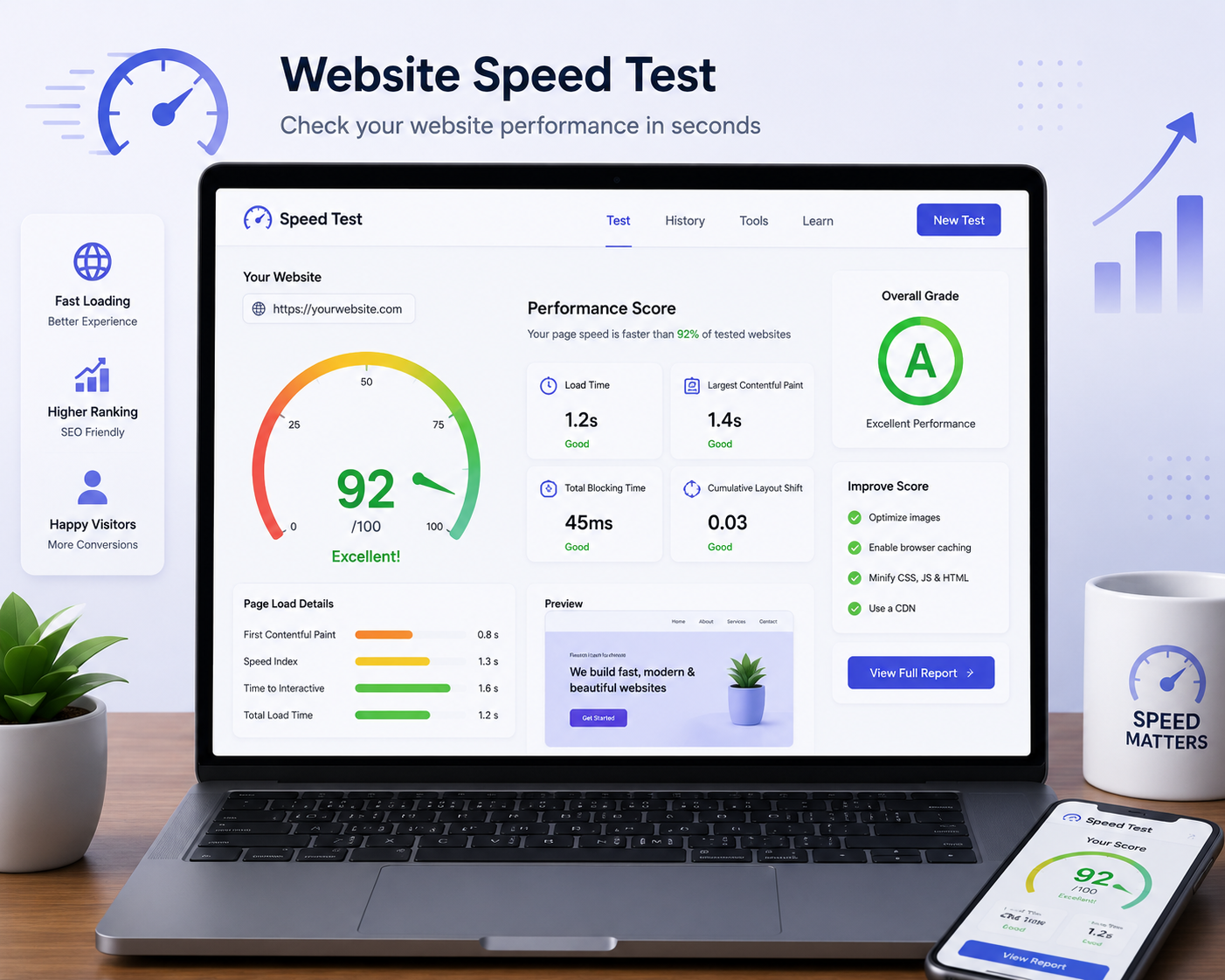
Website performance affects how visitors experience a page and is one part of the broader technical quality of a website. Core Web Vitals provide a practical way to evaluate important parts of the user experience. The three current metrics are Largest Contentful Paint (LCP), Interaction to Next Paint (INP), and Cumulative Layout Shift (CLS). Understanding what they measure makes it easier to prioritise real performance improvements.
Core Web Vitals
Three metrics that matter
LCP
Largest Contentful Paint focuses on how quickly the main visible content appears.
INP
Interaction to Next Paint focuses on how responsive the page feels during user interactions.
CLS
Cumulative Layout Shift focuses on unexpected movement of visible page content.
What are Core Web Vitals?
Core Web Vitals are a set of user-experience metrics used to evaluate loading, responsiveness and visual stability. They are not a single speed score and improving them is not about chasing one number in isolation. The goal is to make pages feel fast, responsive and stable for real visitors.
LCP: Largest Contentful Paint
LCP looks at how quickly the largest relevant visible content is rendered. A slow server response, large hero image, render-blocking resources, inefficient CSS or heavy client-side work can delay the result. Start by identifying the main element reported for the page and then reduce the work needed to display it.
INP: Interaction to Next Paint
INP focuses on how responsive a page is when a user interacts with it. Heavy JavaScript can keep the main thread busy and delay visual feedback after clicks, taps or keyboard input. Reducing unnecessary JavaScript and breaking up expensive tasks can improve responsiveness.
CLS: Cumulative Layout Shift
CLS measures unexpected movement of page content during loading. A page can technically load quickly but still feel broken if text, buttons or images jump around. Reserve space for media, manage fonts carefully and avoid injecting content above existing content without enough room.
Optimise images first
Images are often responsible for a large portion of page weight. Use appropriate dimensions, modern formats when supported, compression and responsive image delivery. Do not serve a huge desktop image to a small mobile screen when a smaller asset will do.
Reduce unnecessary JavaScript
Third-party widgets, analytics scripts, chat tools and large application bundles can add work. Audit what the page actually needs. Remove unused libraries and delay non-critical scripts where appropriate.
Improve server response and caching
The browser cannot render useful content until it receives necessary resources. Reliable hosting, caching, efficient server-side work and a sensible content delivery strategy can reduce waiting time. The correct solution depends on the technology stack and traffic pattern.
Prevent layout movement
Always think about the space an element will occupy before it arrives. Image dimensions, reserved containers and stable components reduce unexpected shifts. Review pages on real mobile devices because layout problems can be more obvious on smaller screens.
Test with real-world conditions
A fast development laptop on a strong connection can hide problems. Test important pages on mobile devices and slower network conditions. Use field data when available and combine it with controlled lab tests to understand both real users and specific technical bottlenecks.
Do not optimise for a score alone
Performance scores are useful, but a higher score is not the same thing as a better business outcome. Prioritise improvements that make important customer journeys faster and easier. Track conversions, engagement and user behaviour alongside technical metrics.
Final thoughts
Core Web Vitals give teams a useful language for discussing performance, but the real goal is simple: make the website feel fast, responsive and stable. Start with the biggest bottleneck, optimise images and scripts, improve server delivery, prevent layout shifts and keep testing as the site evolves.
A practical performance improvement workflow
Begin with the pages that matter most to the business rather than trying to optimise every URL at once. Identify the main performance bottleneck using a suitable testing tool, then inspect the page to understand what is causing it. If LCP is slow, look at server response, the main image and render-blocking resources. If INP is poor, inspect long JavaScript tasks and unnecessary client-side work. If CLS is high, look for images without dimensions, late-loading components or content inserted above existing elements. Make one meaningful change at a time when possible and test again. This makes it easier to understand whether the change actually helped.
Performance is an ongoing part of website quality
Websites change over time. New images, analytics tools, chat widgets, plugins, fonts and marketing features can add weight or change how pages render. A site that performs well after launch can become slower months later if nobody monitors it. Include performance checks in the normal maintenance process and pay particular attention to important landing pages and mobile experiences. Use real-user data when available and combine it with controlled testing to diagnose specific problems. Performance work should always be connected to the customer journey: faster pages, smoother interactions and stable layouts should make it easier for visitors to find information and complete important actions.
Connect performance improvements to business outcomes
Technical optimisation is most useful when it supports a real customer journey. A service website should make it quick to understand an offer and submit an enquiry. An e-commerce store should make product discovery and checkout responsive. A content site should make articles easy to load and read. Prioritise the pages and interactions that matter to those outcomes. After changes, compare performance with engagement and conversion behaviour rather than treating a score as the final goal. This keeps performance work focused and makes it easier to justify improvements that may require development time. Good performance is ultimately about reducing friction for real people.
Use a performance budget for future changes
A performance budget gives the team a practical limit for page weight, script usage or other measurable resources. It can be especially useful when multiple people contribute to a website. Before adding a new animation, widget, tracking script or large image, consider what it costs in performance and whether the business benefit justifies that cost. Review the budget when the site changes significantly, but keep the principle simple: every new feature should earn its place. This helps prevent gradual performance decline and makes speed part of normal development rather than an emergency project later.
Yorra Tech
Ready to turn your digital presence into a growth tool?
Tell us about your business, your goals, and what you want your website or digital system to achieve.
Start a Project